Digital sampler
Owner's Manual
0.0 / 11.4 s
peak -5.2 dBFS
scriptzig build run-studio -- manual/sampler/index/cover --view device --track 1 --script manual/sampler/index/cover.txt
renderzig build run-studio -- render manual/sampler/index/cover cover.wav
cover/song.json
{
  "tempo": 84,
  "end": "5",
  "key": ["1 C major"],
  "devices": [{
    "name": "S1000",
    "type": "sampler",
    "state": {
      "channels": [{ "channel": 1, "program": 1, "level": -8 }],
      "programs": [{ "program": 1, "file": "programs/piano.json" }]
    }
  }],
  "desk": { "strips": { "S1000": { "reverb": -16 } } },
  "tracks": [
    {
      "name": "piano",
      "device": "S1000",
      "channel": 1,
      "clips": [
        { "at": "1", "length": "2.0.0", "notes": "soft" },
        { "at": "3", "length": "2.0.0", "notes": "loud" }
      ]
    }
  ],
  "notes": {
    "soft": {
      "length": "2.0.0",
      "notes": [
        "1.1.0 C3 1.0.0 28",
        "1.1.0 G3 1.0.0 28",
        "1.1.0 E4 0.2.0 34",
        "1.3.0 D4 0.2.0 30",
        "2.1.0 A2 1.0.0 28",
        "2.1.0 E3 1.0.0 28",
        "2.1.0 C4 0.2.0 34",
        "2.3.0 B3 0.2.0 30"
      ]
    },
    "loud": {
      "length": "2.0.0",
      "notes": [
        "1.1.0 F1 1.0.0 120",
        "1.1.0 F2 1.0.0 112",
        "1.1.0 C3 1.0.0 112",
        "1.1.0 A4 0.2.0 122",
        "1.3.0 C5 0.2.0 118",
        "2.1.0 G1 1.0.0 124",
        "2.1.0 G2 1.0.0 116",
        "2.1.0 D3 1.0.0 116",
        "2.1.0 B4 0.2.0 127",
        "2.3.0 G5 1.0.0 127"
      ]
    }
  }
}
cover.txt
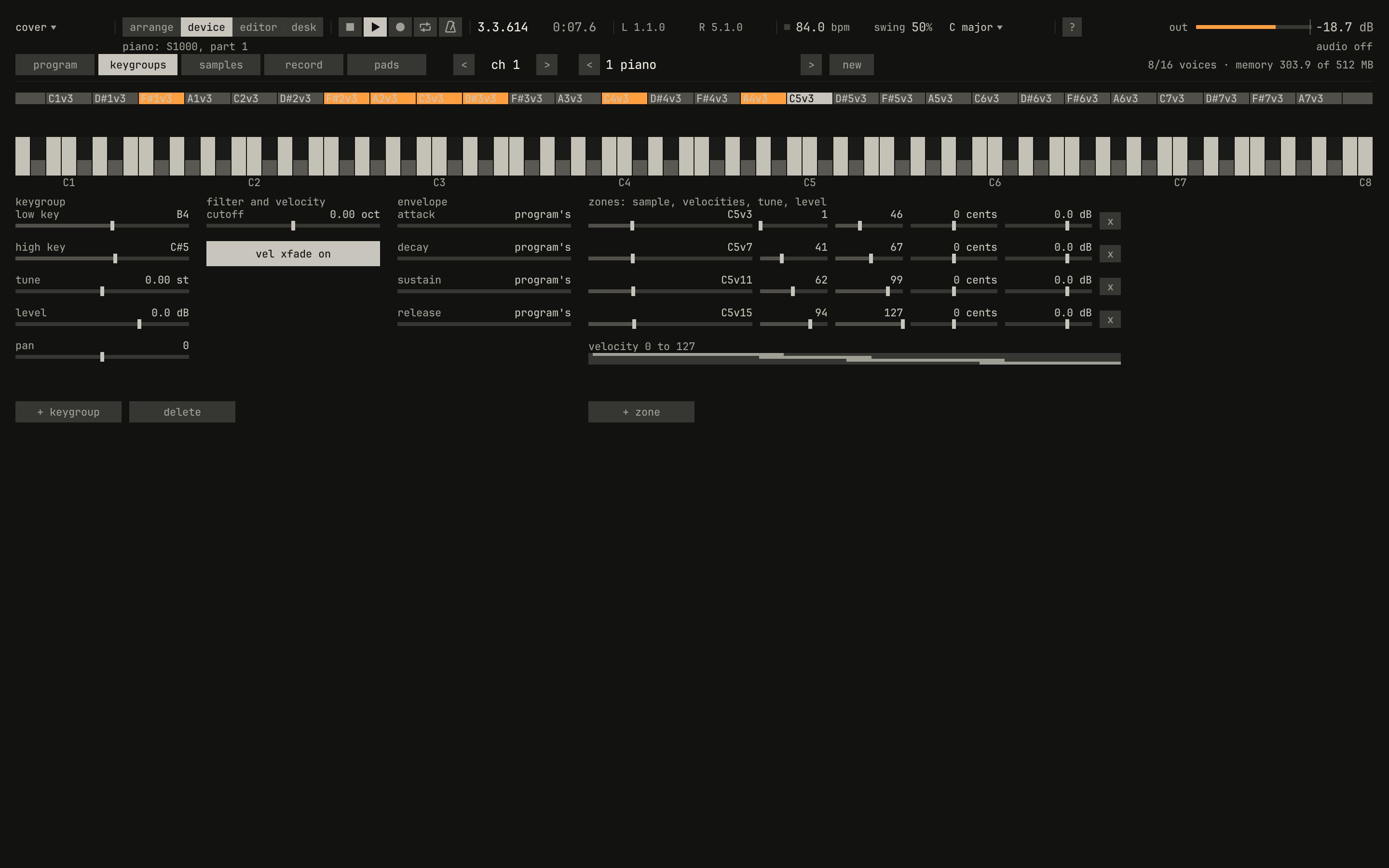
# The piano playing on the keygroups page, in bar 3, with the keygroup
# that plays C5 selected.
key space
wait 7.4
click 143 67
click 824 102
wait 0.1
capture cover.png
This is the manual for the sampler, the studio's third instrument: an Akai S900 grown into an S1000, with the sixteen pads of an MPC60. It plays recordings. A piano recorded at sixteen strengths becomes a program you play from the keys; a drum break becomes sixteen slices on the pads; a phrase stutters on its first beat and holds its high note for as long as a key is down. It teaches sampling from the beginning, with the instrument itself as the apparatus: every sound in it was rendered by the studio, every picture is a capture of its window, and every example is a small song you can open, play, and change.
- Sixteen voices shared by sixteen channels, each channel playing a program from a bank of 100.
- Programs that span the keys with keygroups, 512 among the bank's programs. A keygroup holds up to four samples in zones of velocity, which crossfade where they overlap, and keygroups crossfade where their keys do.
- Samples that are stretches of WAV files, each with its root key, a gain, and up to eight loops, played a number of times or held, with a crossfade at each seam, in the S1000's four loop modes.
- A voice that reads its sample through a windowed sinc, so a sample played two octaves above its root doesn't fold its top back down, then an 18 dB/octave filter, two envelopes, an LFO, velocity to the level and the cutoff, and the S900's 12-bit grain.
- The MPC60's pads: a break chopped onto them at its hits or in sixteen equal slices, note repeat on the song's clock, swing and all, and 16 levels.
- Sampling from the input, and SFZ multisamples imported as programs.
- Sounds dropped on the arrange view, each on a track of its own, fitted to the bars by varispeed.
Before you start
The sampler lives in the studio, and has no window of its own: this book is part of the studio's manual, beside the synth's and the drum machine's. Build and run the studio as the studio's manual says in Before you start.
Its sounds aren't in the repository. tools/fetch-samples.sh fills the
library folder, library/, and checks each download against its checksum:
tools/fetch-samples.sh # into library/, or a folder you name
It fetches the Salamander Grand Piano, 1.18 GB, and imports it as
programs/piano.json; a recording of the sea; and it renders, with the
studio, an 808 break into breaks/808.wav, and two loops into loops/, a
synth phrase and the break at 122 BPM. library/ATTRIBUTION.md names the
authors and licenses. Every figure in this book plays them: a build of the
manual without the library fails those figures, and a song that names a
missing file still opens, lists the sample in red on the samples page, and
plays nothing where it would sound.
Open a song with a sampler in it, and show its device:
zig build run-studio -- studio/examples/piano --view device
or select a sampler's track in the arrange view and press Ctrl+2. The panel shows the channel that track plays. Ctrl+1 goes back.
The studio names samples by their place in the library, library/ unless
--library DIR names another, and keeps them in one pool of sample memory,
512 MB unless --sample-memory MB says otherwise. Both options go before or
after any command, as studio --library ~/samples render SONG out.wav.
How to read this
Chapter 0 is a tour of the panel's five pages. Chapters 1 to 3 build a sound from the bottom up, as the S1000's manual does: a sample, then a program of samples across the keys, then the voice that plays them. Chapters 4 to 6 are the work around it: the pads and breaks, sampling from the input, and sounds in a song. Chapter 7 is the reference.
A figure has pictures of the window, cropped to the panel, the clip the song
renders, plots of the clip, and a recipe: the song's song.json, a window
script where the picture needs presses, and the commands that reproduce it.
The songs are small folders in manual/sampler/, next to the chapters. What
the studio made is dark, as its window is, and amber means what it means
there: sound, playing now.
A control has two names. The panel gives it a short label, such as
release in the filter envelope column; a song's file and a controller
name it by its param, such as filter_release. The text uses the label for the control in front of you
and the param, in code, for the setting. The chapters that teach controls
end with a table of their params.
The S1000's owner's manual, version 2.0 of November 1989, is in
reference/s1000/. This book quotes it where it says something well, with
its page.
Contents
Introduction
I. From a sound to a voice
- 1Samples
Files and the library · The root key · Start, end, and gain · Loops · Crossfades · The samples page
- 2Programs and keygroups
Programs · Keygroups · Velocity zones · Keygroups that overlap · The piano · SFZ
- 3The voice
Reading between the frames · The filter · The envelopes · The LFO · Velocity · The S900's grain · Voices · The program page's controls
II. Breaks, takes, and songs
- 4Pads and breaks
The pads page · Chopping a break · Playing the slices · Note repeat · 16 levels · The pads' controls
- 5Sampling
The input · Starting and stopping · What a take is · Where takes go
- 6Sounds in the song
A file dropped on the arrange view · Fitted to the bars · Playing from the middle · The reference · A sampler of its own
III. Reference